Actions and Stuff | Download Guide for Bedrock Edition
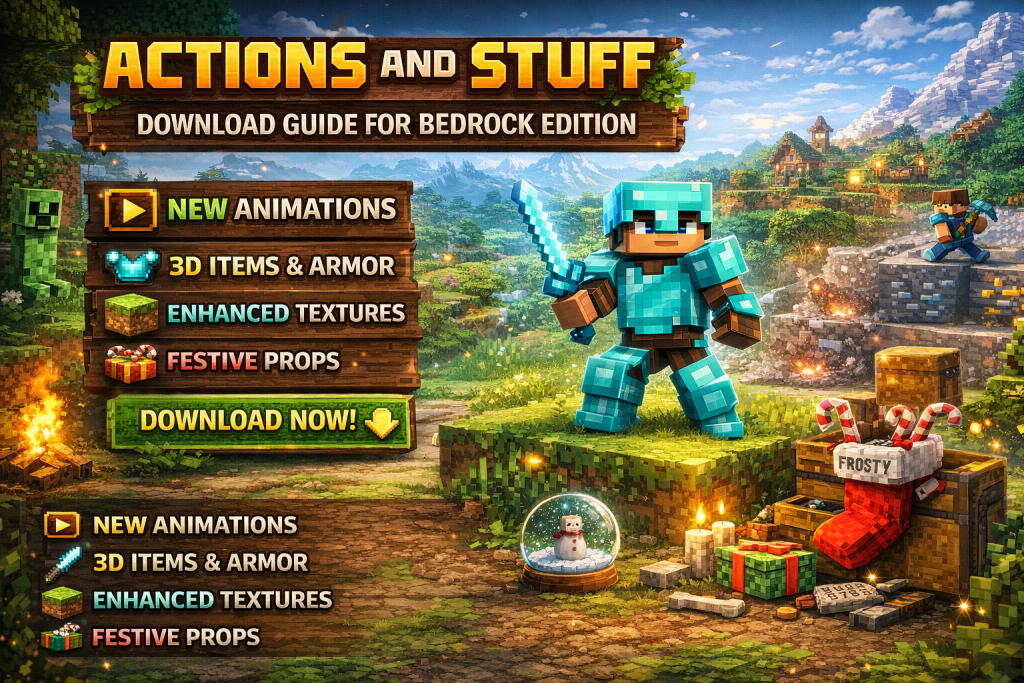
Hey, if you spend time in Minecraft Bedrock Edition, you know how the same old moves can start to feel plain. Actions and Stuff fixes that by adding new life to your world through better animations and details.
This pack keeps things close to the original game while making everything pop. In this guide, you will see exactly what Actions and Stuff offers and how to set it up fast on any Bedrock device.
We walk through simple steps so you can jump in and enjoy the changes right away.
What is Actions and Stuff?
Actions and Stuff is a resource pack built for Minecraft Bedrock Edition. It brings smoother player moves in both first and third person views. Mobs get fresh animations too, like snowy variants that match cold spots in your world.
You also get 3D models for items and custom armor looks. Textures get a full update that stays true to vanilla style but feels sharper and more alive. Particles and sounds round it out, so explosions, jumps, and steps hit different.
The pack works great with your current world. It adds fun extras like festive nametags and props you can place around. Think stockings from boots or snowglobes that shake when you interact. All of this runs smooth on Bedrock Edition without breaking the core experience.
Why Players Grab Actions and Stuff?
Players pick Actions and Stuff because it makes everyday gameplay feel fresh. Your character idles differently based on the biome, like looking tired in hot areas or shivering in snow. Mobs react in new ways too, with better attacks and movements that fit the moment.
It adds 20 skins and one solid texture pack in the deal. You can layer it over vanilla textures or mix it with other packs you already own. The result is a world that looks and feels more dynamic without any heavy lag.
Many folks say it turns regular adventures into something more exciting. Survival trips gain extra flair from the 3D items and particle effects. Creative builds stand out with the custom details and props you can scatter around.
How to Download Actions and Stuff?
Getting Actions and Stuff into your game takes just a few minutes. Start by opening Minecraft Bedrock Edition on your device. Head straight to the main menu and tap the Marketplace button.
In the search bar at the top, type Actions and Stuff. Pick the one from Oreville Studios that matches the latest version. It shows up with the pack details right there.
Buy it using Minecoins once you find the right listing. After purchase, the pack lands in your owned items. Go to Settings, then Global Resources, and move Actions and Stuff to the active list. Save and load your world to see the changes kick in.
Setting It Up on Mobile Devices
Mobile users on Android or iOS follow the same Marketplace route. Make sure your game sits on the latest update for full support. After buying, the pack shows up automatically in your resource options.
Open a world and check the pause menu for resource settings. Activate Actions and Stuff there. Test it in a new or existing world to spot the player animations and texture shifts right away.
If you play on a phone or tablet, the pack runs light enough for smooth performance. Just watch your storage if you stack multiple packs together.
Getting Actions and Stuff Running on PC and Consoles
On Windows PCs, the process mirrors the mobile steps through the in-game Marketplace. Consoles like Xbox, PlayStation, or Switch work the same way since they all run Bedrock Edition. Search, buy, and activate from the menu.
For consoles, note that some snowy foot effects might adjust slightly due to character creator options. Still, the core animations and 3D models show up strong. Load into a world and walk around to feel the difference in movement and sounds.
PC players can also tweak video settings for the best look with the enhanced particles. The pack stays compatible across all these platforms without extra downloads.
Tips to Get More from Actions and Stuff
Stack Actions and Stuff with other texture packs by ordering them correctly in Global Resources. Put this one higher if you want its animations to lead. Test combos in a flat world first to avoid surprises.
Use the nametags for extra fun. Names like Snowy or Frosty turn mobs into winter versions with matching footprints. Festive tags add holiday flair to your builds.
Place the props creatively. Turn leather boots into stockings or bundles into presents that open with sounds. These small touches make any base feel lived in and unique.
Experiment with the biome idle animations. Leather armor stops the shivering or tired effects, giving you control over how your character acts. Keep an eye on the 3D armor and items during fights for that extra visual punch.
Common Issues and Quick Fixes
Sometimes textures look off after activation. Double-check the resource pack order and reload the world. This usually lines everything up again.
Animation glitches on certain mobs happen if your game version lags behind. Update Minecraft Bedrock Edition and try again. Most fixes come from a simple restart.
If particles seem too much on lower-end devices, lower your render distance a bit. The pack runs well overall, but small tweaks keep things smooth. For armor visibility in first person, it works as designed during attacks.
Conclusion
Actions and Stuff gives Minecraft Bedrock Edition the boost many players want. With its new animations, 3D models, and texture updates, your worlds feel more alive and fun to explore.
Follow the steps in this guide and you will have it running in no time. Whether you play on mobile, PC, or console, the pack fits right in and delivers right away.
Give Actions and Stuff a try and see how it changes your next session. The details add up to hours of fresh gameplay that keeps you coming back.